
Case Study 1: Revitalizing Legacy Documentation
Summary: A comprehensive overhaul of legacy User Guide, improving user experience, reducing support inquiries, and establishing best practices for future documentation projects.
Problem/Challenge
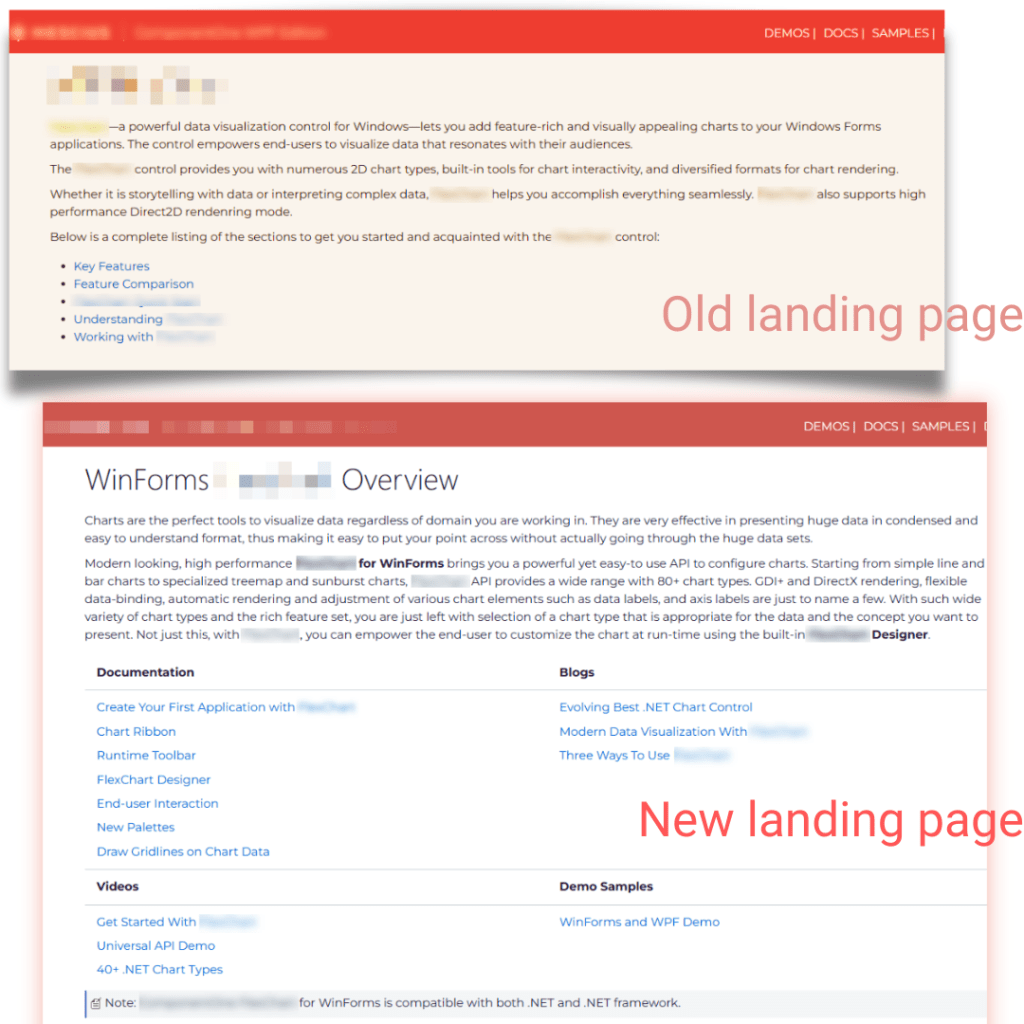
A leading developer tools company faced challenges with fragmented, outdated documentation. Their User Guide with 150+ topics suffered from inconsistencies, obsolete content, and missing information, frustrating users and increasing support costs. Despite the legacy WinForms control being a key revenue source, poor documentation impacted user experience. Additionally, the Japanese help file was more detailed than the English version, creating a content gap.
Your Role and Approach
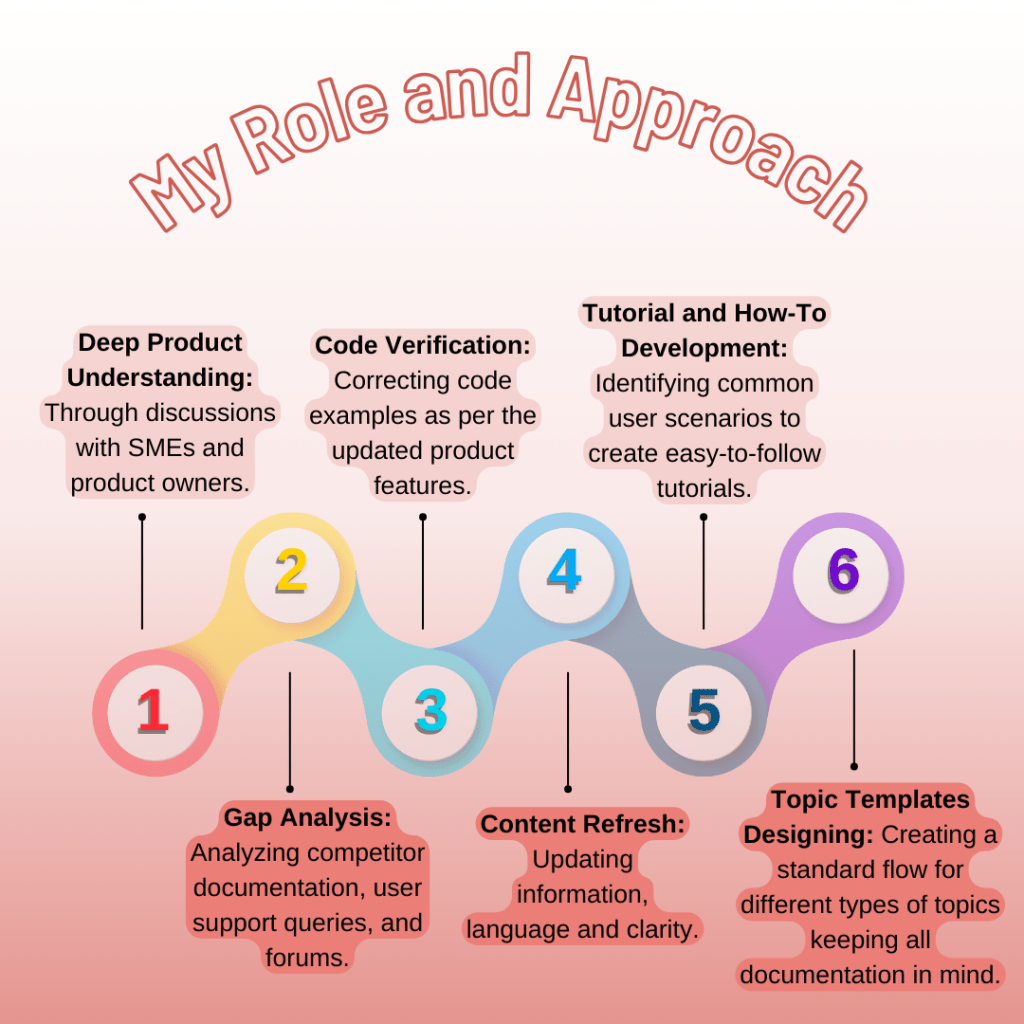
As a technical writer, I was tasked with reengineering the legacy WinForms documentation. My approach involved a comprehensive overhaul, focusing on:
Deep Product Understanding: Through discussions with SMEs and product owners.
Gap Analysis: Analyzing competitor documentation, user support queries, and forums.
Modern Documentation Structure: Designing a new, easy-to-navigate table of contents.
Code Verification: Verifying and correcting code examples as per the updated product features.
Content Refresh: Updating information, language and clarity.
Missing Topic Creation: Authoring new content, including information from extra Japanese topics.
Tutorial and How-To Development:Identifying common user scenarios to create easy-to-follow tutorials.
Screenshot Updates: Replacing outdated visuals.
Topic Templates Designing: Creating standard flow for different types of topics keeping all documentation in mind.
Tools: Using HelpStudio, Snagit, and Visual Studio.
Process Challenges: Navigating a time-consuming approval system.
Solution
- Revitalized the WinForms User Guide (approximately 90 topics).
- Developed comprehensive tutorials and practical guides.
- Implemented a new, user-friendly documentation structure.
- Replaced outdated screenshots and corrected code examples.
- Translated missing topics from the Japanese help files.
- Delivered topic templates as a guideline for all documentation.
Outcomes
- Led to a noticeable decrease in support inquiries, freeing up support resources.
- Enabled faster user onboarding and product adoption.
- Established best practices for future documentation.
- Improved user satisfaction, evidenced by reduced support queries.
- Served as a prototype for further documentation revamps.
- Personal growth: Transitioned to content creation and realized potential.
Key Skills Demonstrated
- Research and Analysis
- Structured Authoring (Custom)
- Code Comprehension and Verification
- Japanese Language Skills (Translation)
- Technical Documentation Development
- Collaboration with SMEs
- Problem-Solving
- Tool Proficiency (HelpStudio, Snagit, Visual Studio)
Let’s Discuss Your Documentation Needs
If you’re facing similar documentation challenges, I’d love to help.
 JSK Writes